Release 2.5: Highlighting Improved qControl and SmartData

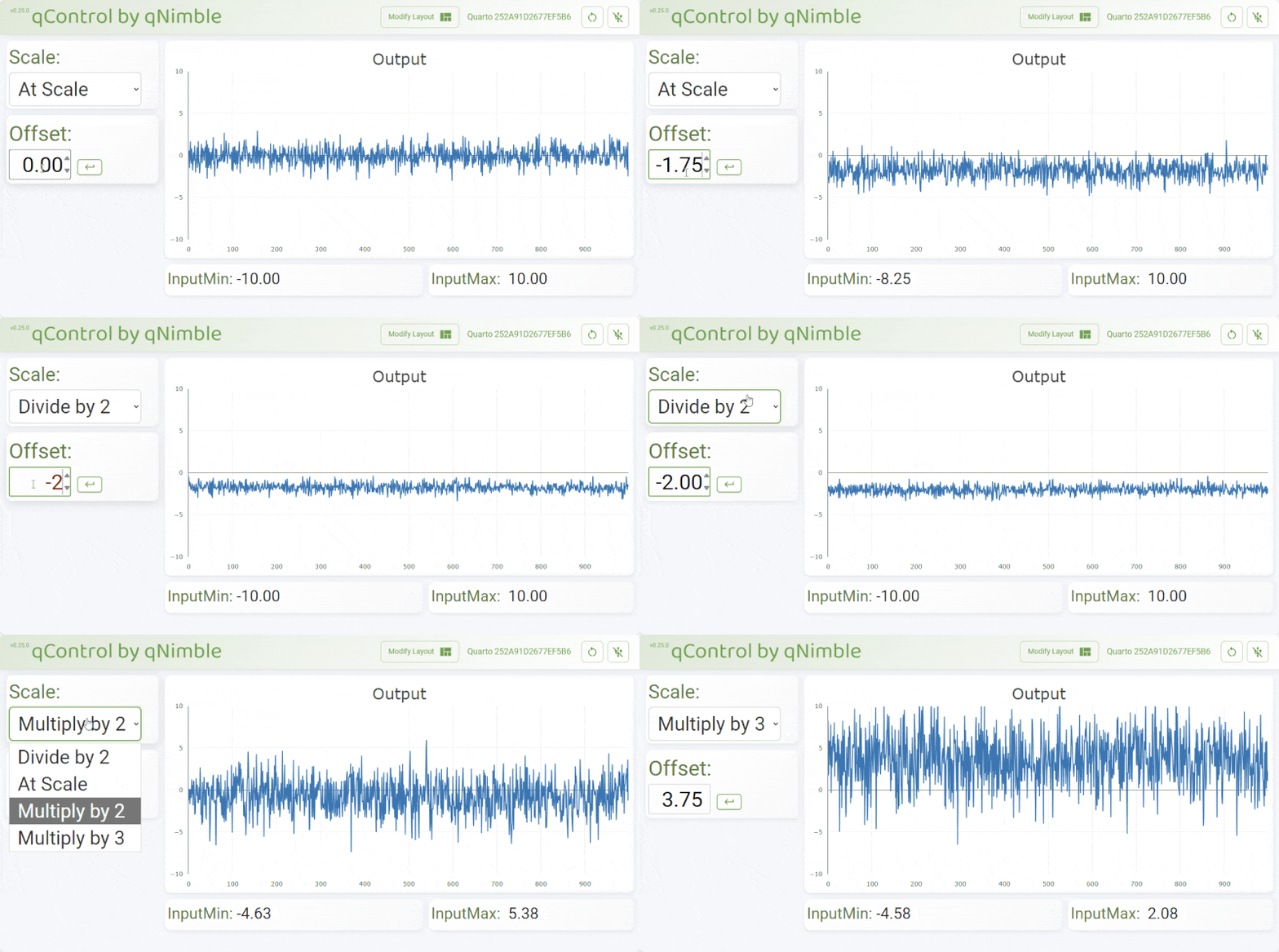
With the release 2.5 of the board support package and an updated web-app at qcontrol.qimble.com, I'm happy to announce we've added new features and made lots of improvements to SmartData, Protothreads, qCommand and qControl. These changes make it possible to create a more sophisticated user interface to interact with the Quarto and easier control over how the Quarto responds to new data or commands. To show off these new capabilities, we've updated and expanded our Examples and added a new Tutorials section.
So checkout the new qControl Tutorial and SmartData Tutorial. Or load the qControl Example and see for yourself.
Here are some of the new changes / features:
- Web-application (qcontrol.qimble.com) faster with a better look and more controls over how numbers are displayed.
- New SmartData type: Array of Options -- restrict a variable to only certain values and get menu in qControl
- Interact with SmartData objects using the same syntax as its underlying type -- No more
.get()and.set()! - New setLimit function to set a min and max value on a SmartData object
- New setSetter function for even more control on how a SmartData object updates
- New runOnUpdate to call a custom function whenever a SmartData object's value changes
- New setDefaultLayout for qCommand to store a default layout for qControl
- Easier, cleaner syntax for Protothreads